
Avatar Settings
Preview
Extracted Initials: JD
Method: First letter of each word (max 2 characters)
Guide: How to Use This Tool
Step 1: Enter the name in the "Name" field. You can enter a full name (e.g., "John Doe"), single name, or even custom initials.
Step 2: Adjust the size slider to set your desired avatar dimensions (16px to 512px). For high-DPI displays, use 1.5x or 2x the display size.
Step 3: Customize the appearance using font size, initial length, colors, and format options.
Step 4: Toggle additional options like Rounded (circular avatar), Bold (bold font), or Uppercase (force uppercase initials).
Step 5: View your avatar in real-time in the Preview section. The calculation box shows how your initials were extracted.
Step 6: Use the action buttons to copy the URL, copy the image directly, download the avatar, or open it in a new tab.
Step 7: Click "Reset to Default" anytime to restore original settings.
Interesting Facts
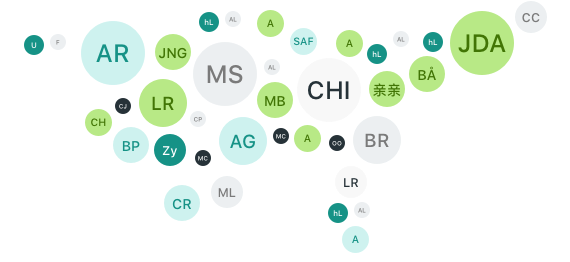
- The UI Avatars API generates over millions of avatars daily without storing any user data
- All generated avatars are cached for performance, making subsequent requests lightning-fast
- The service supports 10+ different language scripts including Arabic, Chinese, Japanese, Hebrew, and more
- SVG format provides infinite scalability without quality loss, perfect for responsive designs
- The API requires no authentication, API keys, or rate limiting - completely free and open
- Background color "random" generates a random color with automatic black/white text for optimal contrast
- The service has been running since 2017 and powers avatars for thousands of websites and applications
Pro Tips
- Retina Displays: Generate avatars at 2x size but display at 1x size for crisp, high-resolution images
- Random Backgrounds: Use "random" as background color for varied avatars - the API automatically chooses contrasting text
- Performance: Prefer SVG format for web applications - it's smaller, scalable, and renders perfectly at any size
- Custom Initials: You can enter custom initials directly instead of full names (e.g., "TM" for trademark)
- International Names: The API intelligently handles unicode characters, perfect for global applications
- Color Schemes: Use your brand colors by setting background and font colors to match your design system
- Accessibility: Always include descriptive alt text when using avatars in img tags
- Caching: The same parameters always generate the same URL, making browser caching highly effective
Use Cases
User Profiles
Perfect for displaying user avatars in applications where users haven't uploaded a profile picture. Provides a professional, consistent look across your platform.
Comment Systems
Enhance comment sections and forums by automatically generating unique avatars for each commenter based on their username or display name.
Email Templates
Add personalized visual elements to email templates by including avatar images generated from recipient names.
Team Collaboration
Visualize team members in project management tools, task assignments, and collaborative workspaces with consistent avatar styles.
Data Visualization
Make dashboards and reports more engaging by representing users, customers, or entities with visual avatars instead of just text.
Mobile Applications
Lightweight avatar generation perfect for mobile apps where every kilobyte matters. SVG format ensures sharp display on all screen densities.
Gaming Platforms
Generate default player avatars based on usernames, providing instant visual identity for new players.
Educational Platforms
Create student and instructor avatars for learning management systems, making the online classroom feel more personal.
About UI Avatars
UI Avatars is a free, open-source avatar generation service that creates beautiful, customizable avatars from user names. The service was created to solve a common problem in web development: providing professional-looking default avatars for users who haven't uploaded profile pictures.
Key Features:
- No Authentication Required: Use the API without signup, API keys, or tokens
- Privacy-Focused: No data storage, no tracking, no cookies - completely anonymous
- High Performance: Intelligent caching ensures blazing-fast delivery worldwide
- Multilingual Support: Handles Arabic, Hebrew, Chinese, Japanese, Thai, Georgian, and many more scripts
- Flexible Formats: Choose between SVG (scalable) and PNG (raster) based on your needs
- Fully Customizable: Control size, colors, font, shape, and more with simple URL parameters
- Production-Ready: Reliable service used by thousands of websites and applications globally
Technical Specifications:
- Sizes: 16px to 512px (recommended: 64px - 256px)
- Formats: SVG (default) or PNG
- Character Support: Unicode-compliant, supports all major writing systems
- Response Time: Typically under 100ms for cached requests
- Availability: 99.9%+ uptime with global CDN distribution
Examples
John Doe
(Blue, Default)
Sarah Smith
(Random, Rounded)
张伟
(Chinese, Bold)
محمد
(Arabic, Rounded)
田中太郎
(Japanese)
דוד כהן
(Hebrew, Bold)
API Credits:
Made by Lasse Rafn with help of contributors
Official API: https://ui-avatars.com
Privacy: No data storage • No tracking • No monitoring • Completely anonymous
| Feature | Details |
|---|---|
| Price | Free |
| Rendering | Client-Side Rendering |
| Language | JavaScript |
| Paywall | No |


0 Comments